
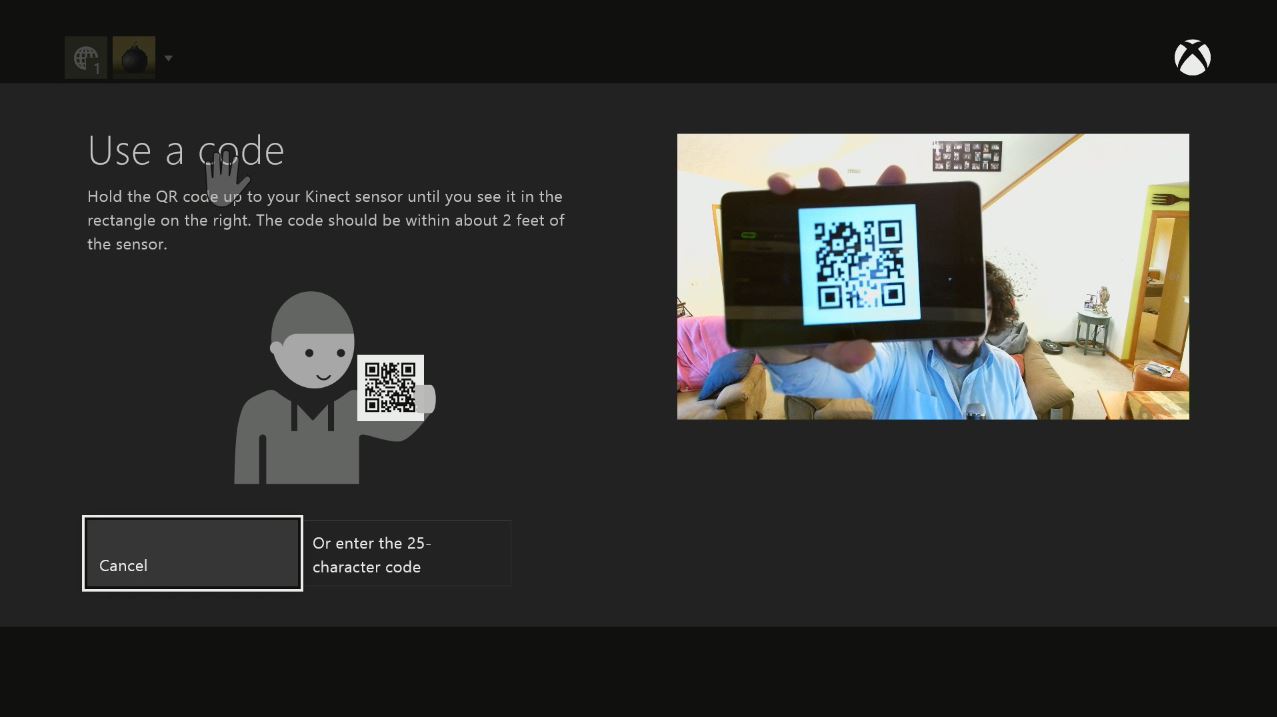
The Xbox One wants to make things easy for gamers. For example, its Kinect camera can read QR codes, so when you buy a Xbox Store gift card or an Xbox Live Gold subscription, you can hold the QR code up to the camera and redeem it instantly. Unfortunately, some publishers are still only including the 25-character text code only.
Don’t worry, though, you don’t have to fight with the Xbox One joypad and the onscreen keyboard to enter those endless alphanumeric strings. Here’s how to take a text code and turn it into a QR code (or you can watch the video at the top):
- Grab the text that you want to turn into a QR code.
- Using a computer, tablet, or smartphone, browse to QRstuff.com.
- Select “plain text” from the Data Type menu on the left side.
- Enter the content of the text code into the field.
- For output type, you can either download an image of the QR code, print it to paper, or email it to yourself.
- Then just open the image on your phone, tablet, or laptop, and show it to the Kinect.
Remember, to redeem a code on Xbox One, just say “Xbox, use a code.”
Of course, you could always use Xbox.com to redeem a code, which is probably (definitely) faster. If for some reason you don’t want to use Xbox.com — or just think QR codes are fun — this option is available to you.
Related articles


