
Hollywood & Games returns to Los Angeles on December 10, bringing together 250+ executives, founders, investors and decision-makers at the Grammy Museum's Clive Davis Theater. Explore the business of entertainment's biggest partnership through independent, journalist-led conversations on IP, investment, storytelling and new opportunities across gaming and Hollywood. Space is limited. Secure your seat today.
Microsoft isn’t just releasing Windows 10 tomorrow (our early review), it’s also preparing to roll out a new version of one of its most popular games.
Minecraft: Windows 10 Edition is real, and it is completely free if you already own the game on PC. You just need to go through a few steps.
Here’s how to do it:
- Sign into your Mojang account.
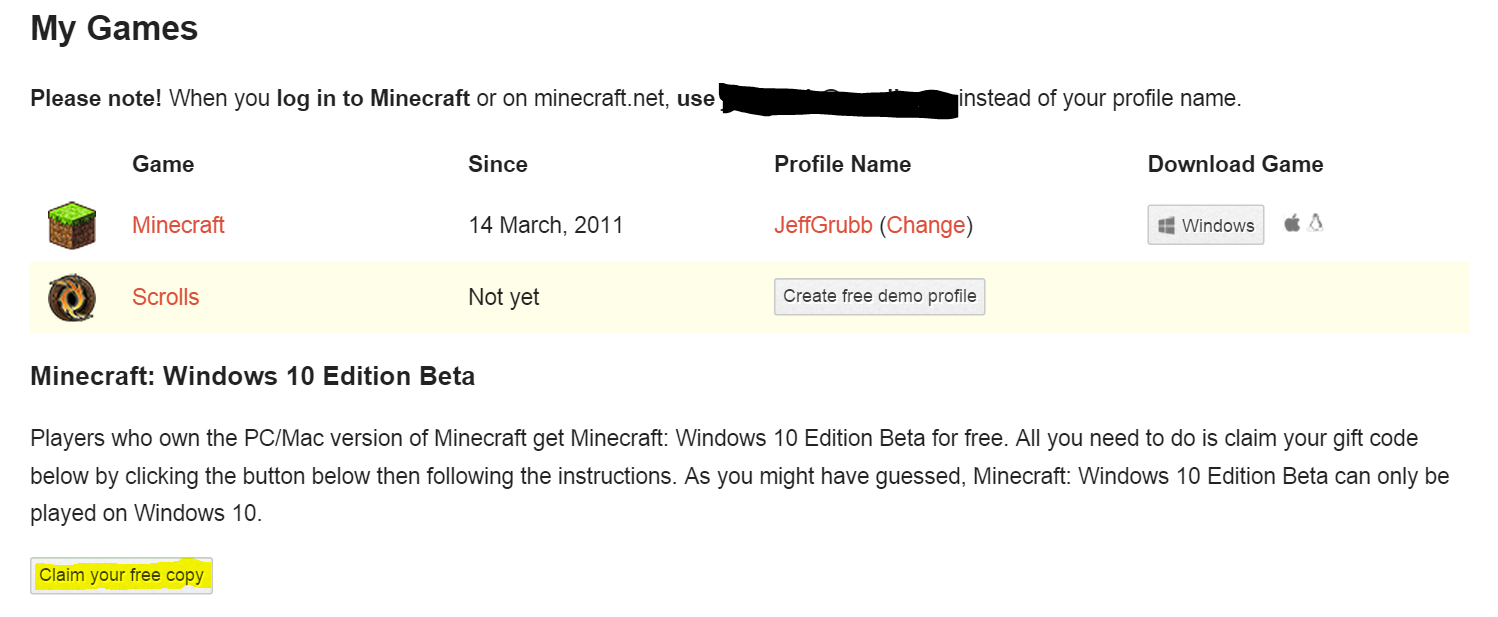
- You should see your Mincecraft purchase at the top of the page.
- Scroll down and you should see “Minecraft: Windows 10 Edition Beta.”
- After that, simply click the button “Claim your free copy.”
- This will take you to a Microsoft page where you can redeem your code for the game.
- You may need to sign into your Microsoft account.
- The code field should auto-populate.
- Hit “Redeem.”
Now, once you have Windows 10 installed, you should find the game in your apps.