
Google introduced its vision for Android XR last December and in November, it announced it was collaborating with Samsung on the Galaxy XR headset. Now it’s further expanding Android XR.
The response has been incredible to see, said Shahram Izadi, Google’s VP & GM for XR, in a blog post. On the Android Show, he said Google is releasing new updates for the Galaxy XR headset starting today. These new updates are designed to help users fully experience the spatial capabilities of Android XR and allow them to fit their headset naturally into the things they do every day.
To expand the workspace, Google is introducing PC Connect. It allows you to link your Windows PC to your headset, then pull in your desktop or a window from your computer and place it side-by-side with native apps from Google Play.
This lets you stay productive — or play PC games — in a way that’s just not possible on a laptop screen. PC Connect starts rolling out today in beta.
Google is also making it easier to bring your headset into other parts of your life. With travel mode, you can turn a cramped flight into a personal cinema or immersive workspace, with a view that stays stable even when you’re in motion. And to help you stay connected while using your headset for video calls, you can now create your Likeness — a realistic digital representation of your face that mirrors your facial expressions and hand gestures in real-time. This allows others to see you authentically while you’re using your Android XR headset for video calls, making your interactions feel natural and personal.
Likeness starts rolling out today in beta, and you can visit Google’s Help Center for more information on how to get started.
Building the XR ecosystem
For AI and XR to be truly helpful, the hardware needs to fit seamlessly into your life and match your personal style. One form factor doesn’t fit all, so Google is building Android XR to support a diverse range of devices. Google wants to give you the freedom to choose the right balance of weight, style and immersion for your needs.
AI glasses
At I/O, Google announced it is working with Samsung and partners Gentle Monster and
Warby Parker to design stylish, lightweight glasses that you can wear comfortably all day.
With its partners, Google are working to create two types of glasses. First, there are AI glasses designed for screen-free assistance, which use built-in speakers, microphones and cameras to let you chat naturally with Gemini, take photos and get help. And then there are display AI glasses, which add in a small display that privately shows you helpful information, right when you need it, like turn-by-turn navigation or translation captions. The first glasses will arrive next year.
Wired XR glasses
Android XR will also support wired XR glasses that offer the unique blend of headset-like
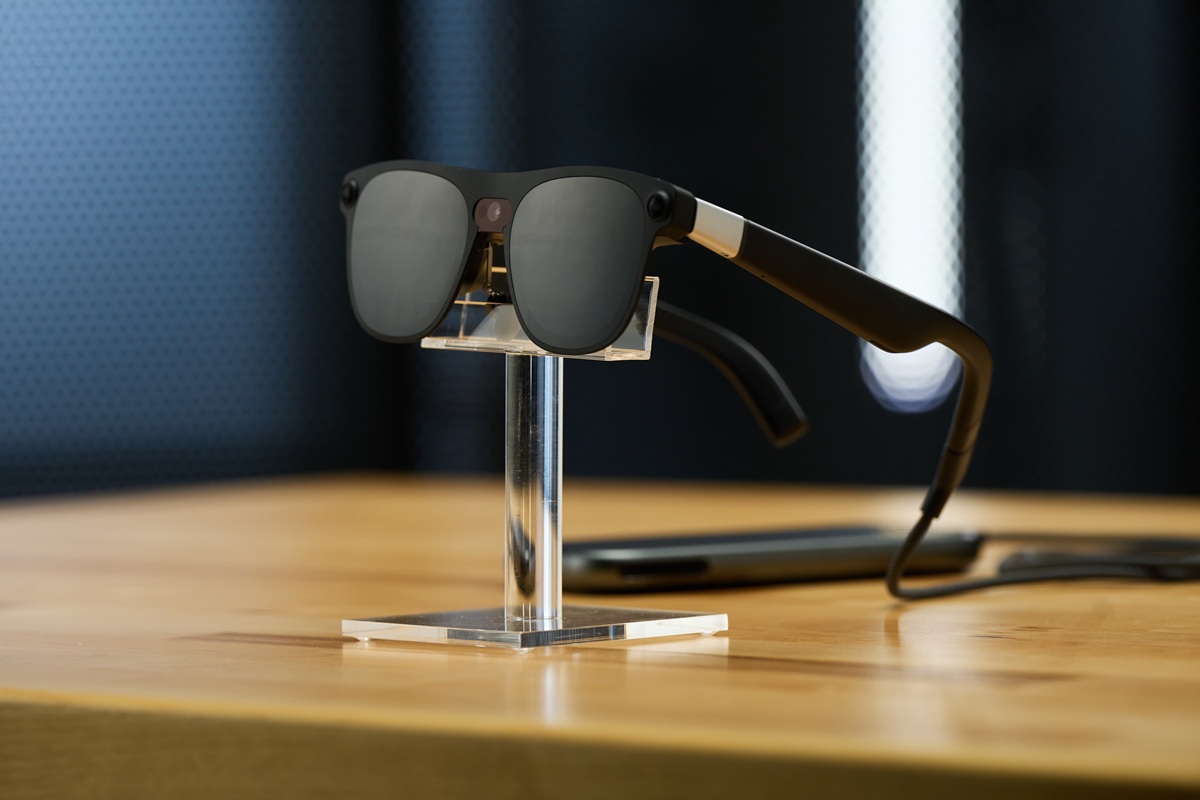
immersion and real-world presence in a portable form factor. Today, Google shared a first look at Project Aura from XREAL, the first Android XR device in this category. Equipped with a 70-degree field of view and optical see-through technology, these devices layer digital content directly onto your view of the physical world.
This gives you a massive, private screen for taking your workspace or entertainment with you, without blocking out your surroundings. They are perfect for practical everyday uses, too — like following a floating recipe video while you cook or seeing step-by-step visual guides anchored to an appliance you are fixing.
Google will share more about the launch of Project Aura next year. The hardware and platforms are just the canvas, so Google is inviting developers to join it in co-creating this next evolution of computing. To make these new experiences possible, the team is launching Developer Preview 3 of the Android XR SDK.
This update officially opens up development for AI glasses, giving developers the tools and APIs to design the kind of helpful, augmented experiences we’re seeing from partners like Uber. In addition, Google is releasing new functionality to help developers build richer, more immersive experiences for headsets and wired XR glasses.
Developers can learn more and get started on the Android Developer Blog. For everyone else, you can stay tuned for updates on device availability by joining the newsletter.