
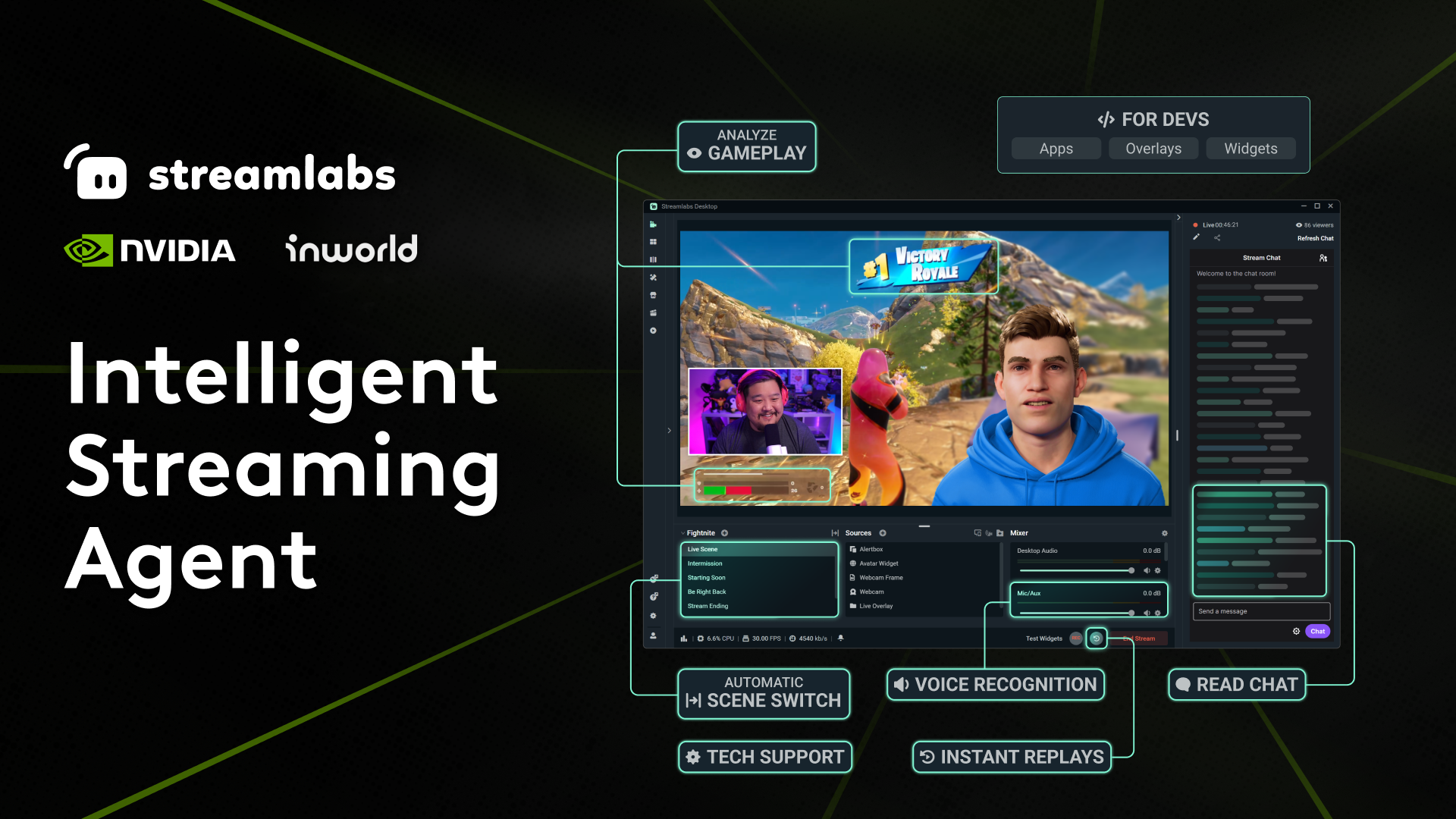
At Logitech G PLAY 2025 today, Streamlabs is launching the Intelligent Streaming Agent in collaboration with Inworld AI and Nvidia.
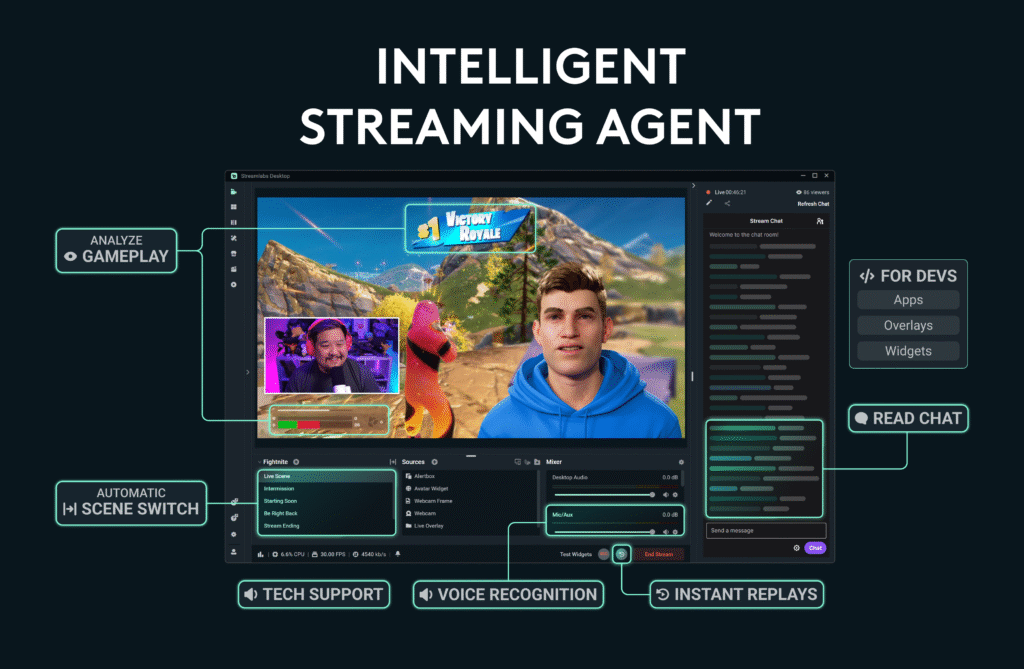
The Intelligent Streaming Agent is an AI-powered tool that can function as a mixture of on-screen co-host, complete with a 3D animated avatar, producer to adapt your stream automatically in real-time, and tech assistant to monitor stream health.
If this sounds familiar, you’re right, because it was originally unveiled earlier this year at CES, but it was called the Intelligent Streaming Assistant at that time. Right now, the integrations only support Fortnite but more games are in the works.
They changed the name because they felt, “‘Agent’ better described what the technology does: it doesn’t just help streamers, but automatically executes production tasks and plays an active role in the stream (avatar or not),” head of Streamlabs, Ashray Urs, said in an email interview. “To use an entertainment industry analogy, an assistant picks up your coffee order and books your meetings – but an agent gets you to the next level in your career.”
As content creators and livestreamers continue to try to find ways to enhance their broadcasts, staying on top of emerging technologies is paramount. When you’re playing games live and on camera, you not only need to have entertaining gameplay your audience wants to watch, but you have to maintain a clean feed without technical issues, manage a studio’s worth of equipment and peripherals, and juggle all of the technical aspects and live-hosting requirements at all times.
In short, it can get pretty exhausting. Especially for small and mid-sized streamers who may be running their entire operation solo. That’s where Streamlabs is hoping to bridge the gap a bit.
Everything about the Intelligent Streaming Agent is customizable and optional. If you’d rather turn off the 3D avatar talking head, then you can do that and just have the AI running in the background.
“We’ve been getting really positive feedback from early users,” Urs said. “One of the first things people point out is how smooth and lifelike the avatar animations feel. NVIDIA’s tech powers that, and it stood out right away. We also heard a lot about customization. Streamers wanted more ways to make their avatar feel unique, so we built in plenty of options.”
Urs added, “The feature that has resonated most broadly is the producer functionality. At our Computex demo, it even won a Best of Show award because it showed something that is usually extremely difficult, and in many cases impossible, to pull off without a team. Automating production at that level is a huge unlock, especially for streamers who do not see themselves as very technical. It enables them to deliver polished productions, typically only seen from professionals with a whole crew working behind the scenes.”
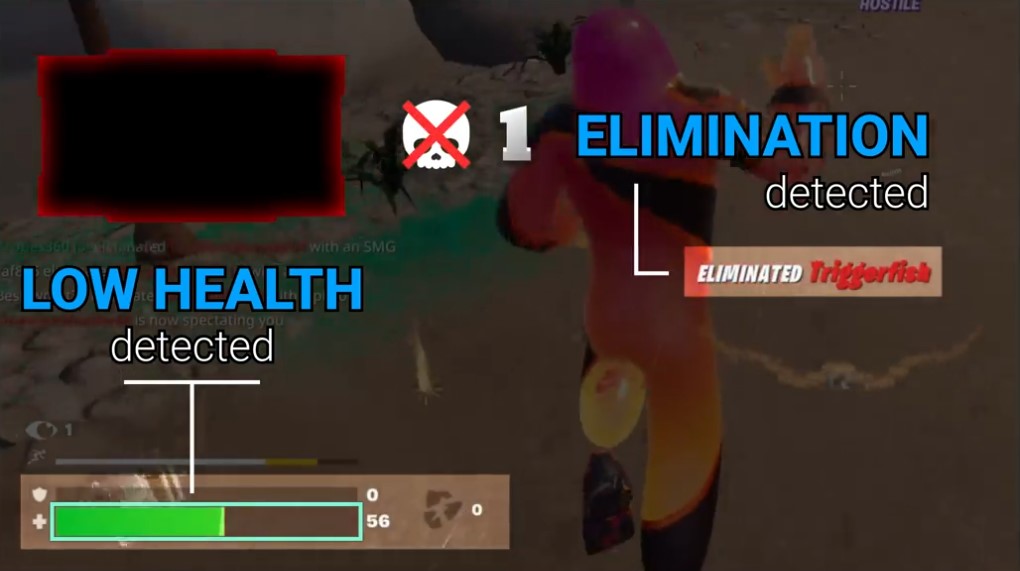
I’ve seen a few example videos of what it can look like in action. In one example, while a streamer is in the middle of combat and takes enough damage, a blinking red overlay appears over their face cam. It can then be programmed to disappear once they heal. In another example, the 3D avatar tech assistant pops up to notify you that no one can hear you talking when your mic is muted.
However, what’s arguably the most impressive feature is the potential of the virtual producer. It can do things like automatically switch your scenes when you win a match, clip and replay your final moments to give you your very own instant-replay celebration, and then zoom in on your face at just the right moment. Theoretically, it can feel like having a producer in the room, managing the controls, while the streamer focuses on gameplay.
“We anticipate the producer feature will be the most popular, as it handles the key elements that can either enhance or disrupt the stream’s flow, including scene switching, replays, and clips,” Urs said. “When streamers don’t have to make these production choices manually, they can focus their energy on gameplay and interacting with the chat – no alt-tabs out, and no awkward pauses.”
Resource consumption and PC performance is always top of mind for content creators as well. Programs like Streamlabs are often known to require significant CPU and GPU usage in order to function properly, which is why some streamers opt for a setup that utilizes multiple computers. Of course, not everyone can afford that, though.
“The producer and tech support features run locally with minimal system impact, resulting in around 3% GPU overhead,” Urs said. “The optional 3D avatar does require more resources and is best suited for systems with a powerful GPU. For the best experience, we recommend at least an NVIDIA GeForce RTX 3060, Quadro RTX 4000, or TITAN RTX with 8 GB of VRAM for Producer and Tech Support in voice-only mode, 12 GB for dual-PC setups, or 24 GB for a single PC with the full workload. Even without the avatar, the producer and tech support features run smoothly in the background with low impact.”
Additionally, alongside the Intelligent Streaming Agent is the debut of Streamlabs AI, the real-time vision model powering the agent. Starting today, it’s fully available as a Software Development Kit (SDK) for all developers to start building their own reactive tools from scratch. Some early examples include interacting with lights in your actual room when things happen in-game via Logitech G integration in the near future.
Since the Streamlabs AI SDK is the same one powering the new Streaming Agent, the model can detect in-game events in Fortnite like eliminations, wins, and health drops, so developers can design dynamic overlays, widgets, and hardware integrations to seamlessly combine with setups.
If you’re a developer, the Streamlabs AI SDK is available now, and if you’re a streamer, you can find the Intelligent Streaming Agent on the Streamlabs Desktop app. The agent is free to use and includes a limit of 100 total interactions in a one-time pool and up to five active automations. Upgrading to Ultra increases those caps to 1,000 interactions per billing cycle and 10 active automations. Ultra is priced at $27 per month for the monthly plan, or $189 per year for the annual subscription.
“AI agents are going to take off with streamers because they can streamline the production elements that set a high-quality stream apart, from automating tricky technical aspects of sound and lighting to keeping up with a lightning-fast stream chat,” Urs said. “While Streamlabs’ computer vision model was purpose-built for gaming, we anticipate the producer and technical assistant functions having utility across various genres of streaming. When streamers aren’t spending hours clipping highlights or derailing a stream to fix a technical issue, they can focus on creating engaging content, and that’s how they grow their platform.”